Agent OS
The engine that powers every agent.
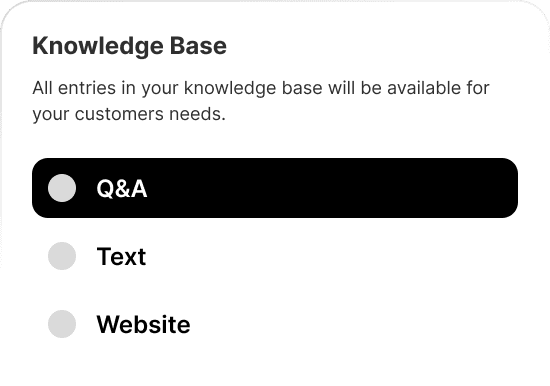
Give your agents the right context.
Centralize your policies, FAQs and operational guidelines so agents respond accurately and consistently across every interaction.
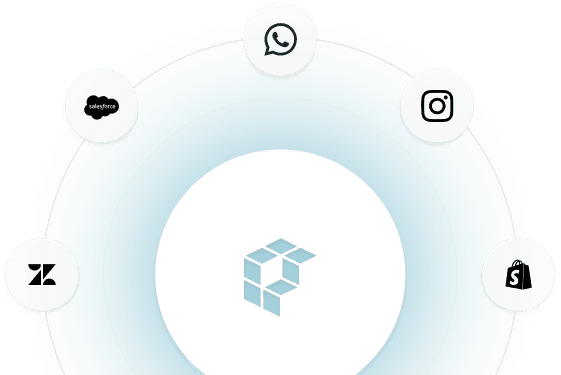
Connect the systems your business runs on.
Integrate with your CRM, support tools, internal systems, data platforms and communication channels so agents can access information and execute actions directly within your existing stack.
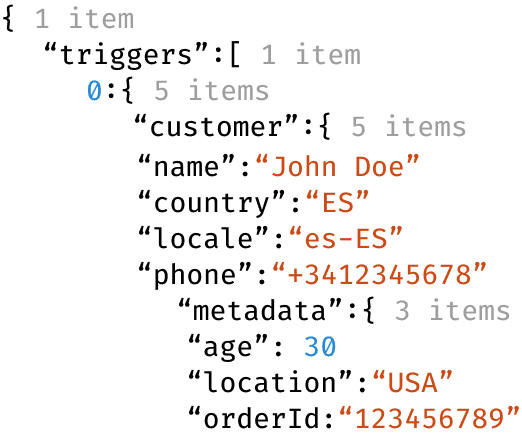
React to real-time events
Trigger workflows and keep your systems in sync in real time using webhooks, so agents can act as things happen.
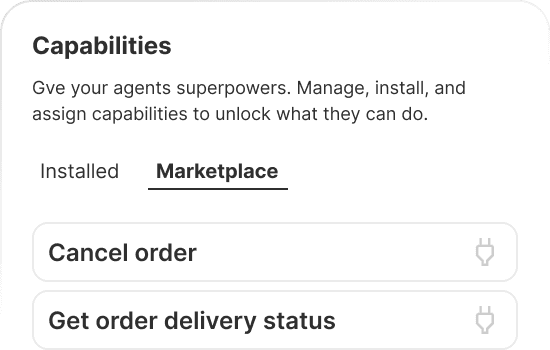
Pre-built actions for common business workflows.
Activate pre-built capabilities that help agents handle recurring requests, retrieve information or trigger processes without needing custom development from day one.
Build custom workflows using natural language
Define clear scenarios and describe how the agent should behave in each situation, allowing it to handle complex, multi-step cases without relying on rigid decision trees.
Test and optimize before deployment
Simulate conversations, validate workflows and refine agent behavior in a controlled environment before going live.

What is Agent OS?
Agent OS is the configuration and execution layer where you define how your AI agents behave and what they can do. It combines a knowledge base for storing context, a capability system for executing workflows, and campaign-level orchestration for controlling when and how agents act. Teams use Agent OS to centralize brand voice, operational policies and product information, then activate pre-built or custom capabilities that let agents track orders, search catalogs, trigger webhooks or call MCP servers. Each campaign can have its own goal, capability set and behavioral rules, giving you granular control over agent behavior across different conversation types. The system maintains version history for all knowledge base changes and capability configurations, so teams can track what changed and when.
How it works
Start by uploading content to the knowledge base: website pages, policy documents, product catalogs or custom text entries. This content provides context agents use when generating responses. Next, activate capabilities for your campaigns. Pre-built capabilities like order tracking, catalog search and review requests work immediately once the required integrations are connected. For custom workflows, configure webhook capabilities with your API endpoints and request templates, or connect MCP servers that expose structured tools. Define goals to guide conversation outcomes and set behavioral rules using natural language instructions. When a conversation happens, Agent OS evaluates which capabilities should execute based on context, runs their logic by calling integrated systems, and provides the results to the agent for generating responses. All capability executions are logged with full audit trails.
Frequently asked questions
What can agents do on their own versus when do they escalate to a person?
Agents handle complete workflows when they have the necessary information and capabilities. For example, an agent can track an order, search the product catalog, or update shipping details by connecting to your systems. When a request requires judgment, involves sensitive information, or falls outside configured capabilities, the agent escalates the conversation to your team with full context. You control escalation rules by defining which situations require human review and which the agent can resolve independently.
How do I change the agent's tone or policies?
You update agent behavior by editing content in the knowledge base. Write or revise instructions that describe how the agent should communicate, which topics to prioritize, and how to handle specific situations. Changes apply immediately to new conversations. For example, you can adjust response formality, add seasonal messaging, or update return policies simply by editing the relevant knowledge base entries. All changes are tracked so you can see what was modified and when.
How does the agent use my website and policy documents?
You add website pages and policy documents to the knowledge base by providing URLs or uploading files. The platform extracts and updates this content automatically, then uses it as reference material when generating responses. When a customer asks a question, the agent searches your knowledge base for relevant information and incorporates it into its answer. This means your agent always reflects current policies, product details, and published information without manual synchronization.
What types of pre-built capabilities are available?
Pre-built capabilities include order tracking, order cancellation, order updates, product catalog search, product information lookup, refund status checks, and review requests. Each capability connects to your integrated systems and executes its workflow automatically when relevant to the conversation. You activate capabilities per campaign and configure their settings through the dashboard. For example, the order tracking capability queries your logistics provider and presents shipping status to the customer without manual intervention.
Can I connect the agent to my own systems?
Yes. Beyond native integrations with platforms like Shopify, Amphora and Bigblue, you can configure custom connections to your internal systems. You define what information the agent should request and how your system should respond. The platform handles secure communication and logs every interaction. This lets agents query order databases, trigger notifications, or update records in your business tools while you maintain control over what data is accessible.
How do goals work?
Goals guide what the agent tries to accomplish in each conversation. You define goals in plain language, such as resolving customer questions, collecting feedback, or helping customers find products. The agent uses these goals to shape conversation flow and determine when an interaction is complete. Multiple goals can be active in the same campaign, and you can track how often each goal is achieved to measure agent effectiveness.