Channels
One central engine powering every customer touchpoint. Operate all channels from a single agent brain, ensuring consistent experiences, centralized control and shared intelligence across every interaction.
Consistency across channels
Deliver a unified brand experience across web, WhatsApp and Instagram, with the flexibility to adapt tone and interaction style to each channel.
Shared memory
Maintain full conversation context across touchpoints, so agents understand past interactions and customers never have to repeat themselves.
Unified intelligence
Centralize insights, performance data and customer signals from every channel in one place, enabling teams to optimize experiences holistically.
What are Channels?
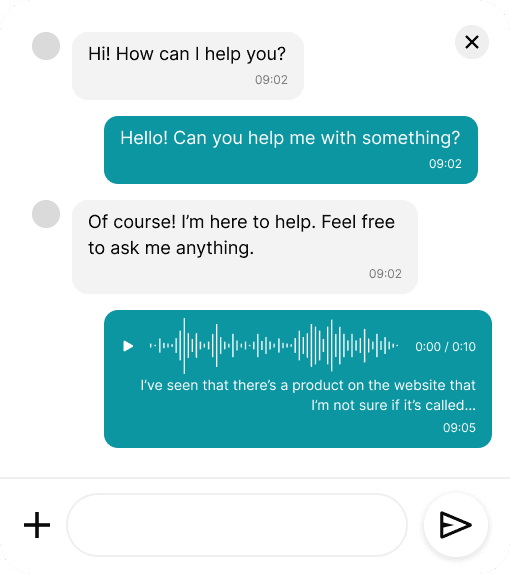
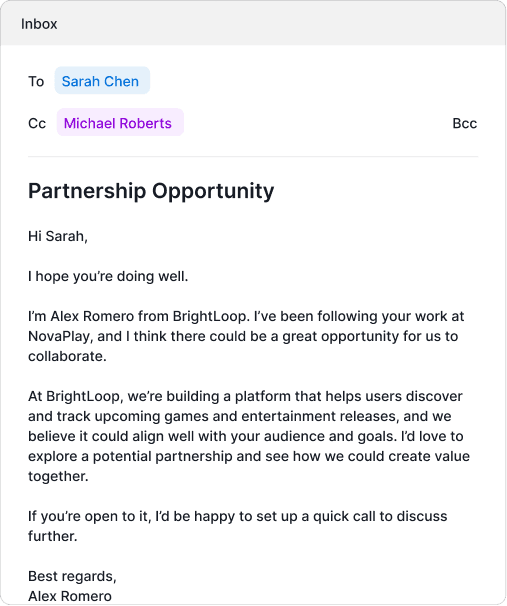
Channels in Permut are the messaging surfaces where conversations with customers happen: web chat through an embeddable widget, WhatsApp Business and Instagram Direct Messages through Meta integrations, and email through connected inboxes. All channels share the same agent configuration, knowledge base and capabilities, meaning behavior stays consistent regardless of where a conversation starts. The platform maintains conversation context across channels, so if a customer begins on web chat and continues via WhatsApp, the agent remembers the full history. Each channel has its own connection configuration but operates from unified campaign and capability settings. This architecture means you configure agent behavior once and deploy everywhere, rather than maintaining separate systems per channel.
How it works
Each channel integration authenticates through its native mechanism. The web widget installs via a script tag on your website with customizable styling and positioning. WhatsApp and Instagram connect through Meta Business accounts with phone number verification and message template approval built into the platform. Email integrations authenticate through Gmail, Outlook or Frontapp using OAuth, mapping inbox addresses to campaigns. When a message arrives on any channel, the platform creates or continues a conversation record, loads the relevant campaign configuration, evaluates active capabilities, and generates a response using the agent context. Operators see all conversations in a unified inbox view, can filter by channel, and maintain full conversation history regardless of where interactions occur.
Frequently asked questions
How does the web widget work?
The web widget is an embeddable chat interface you add to your website by including a script tag in your page HTML. You customize colors, position, greeting message and launcher icon through the dashboard. The widget establishes a secure WebSocket connection to maintain real-time conversation state. Visitors can start conversations that trigger your configured campaigns and capabilities. All widget conversations appear in your dashboard alongside messages from other channels.
What does Meta partnership certification provide?
As a certified Meta Business Partner, Permut has WhatsApp Business Platform and Instagram messaging capabilities built directly into the product. This means phone number registration, message template submission and approval workflows, webhook configuration, and conversation monitoring all happen within the Permut dashboard. You connect your Meta Business account through OAuth and manage everything from one interface, rather than working across multiple Meta admin panels.
Can agents handle email conversations?
Yes. Email integrations connect Gmail, Outlook or Frontapp inboxes to campaigns. When a new email arrives at a configured address, the platform creates a conversation and the agent generates a reply based on campaign configuration and active capabilities. Email threads maintain full context across multiple messages. Operators can review agent-generated drafts before they send, manually take over conversations, or configure specific campaigns to auto-send without review.
Do conversations maintain context when customers switch channels?
Yes, if the platform can match the customer identity across channels. Conversations link to customer records through email addresses, phone numbers or Instagram usernames. When a customer who previously chatted on the web widget sends a WhatsApp message from the same phone number, the agent accesses the complete conversation history. This cross-channel memory means customers never need to repeat context when moving between touchpoints.
Can I configure different behavior per channel?
Campaigns can be channel-specific or span multiple channels. You create separate campaigns for inbound web conversations, WhatsApp conversations, Instagram DMs or email inquiries, each with its own goals, capabilities and behavioral rules. Alternatively, a single campaign can handle multiple channels with unified configuration. This flexibility lets you maintain consistent behavior when appropriate or differentiate experiences when channels have distinct use cases.